前回の内容で写真一括貼り付けの処理でJPEGに貼り直しを行った場合、ファイル容量の差と処理時間を説明します。
写真の貼り直しを行う場合と行わない場合の容量と処理時間の結果
- 写真の貼り直しあり
- ファイル容量が軽い
- 処理速度が少し遅い
- 写真の貼り直しなし
- ファイル容量がかなり重い
- 処理速度が速い
※処理速度はPCの性能によって変動します。
ファイル容量にかなり差が出るので写真貼り付けマクロを組む場合は写真の貼り直し処理を行う事をおすすめします。
スマホで撮った写真50枚の貼り付け結果
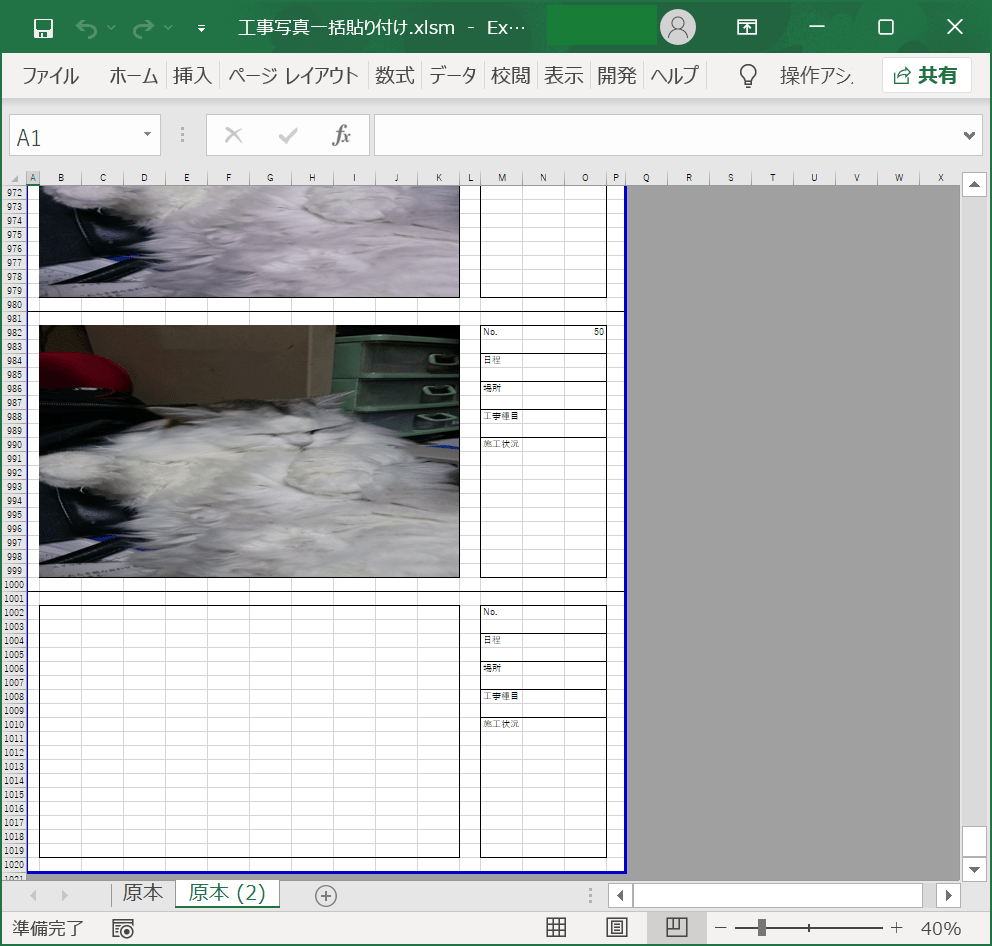
結果は貼り直し処理ありなし共に同じです。
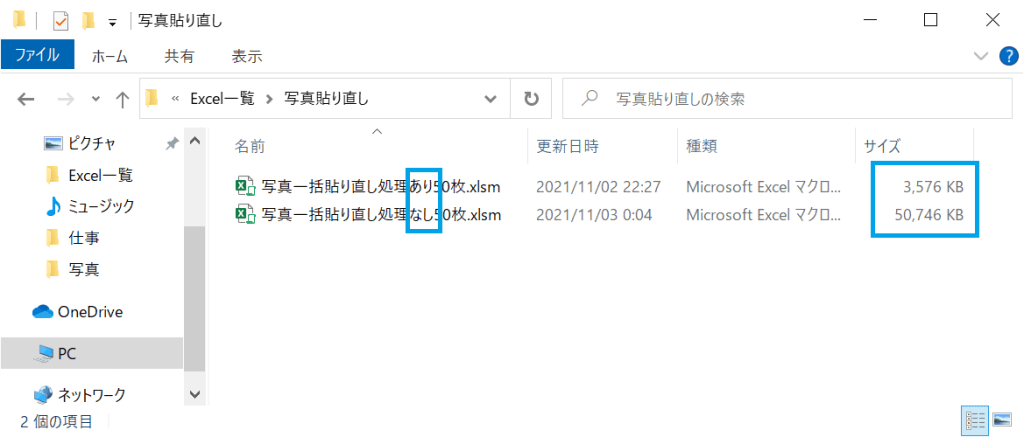
写真の貼り直し処理ありなしの容量と処理時間
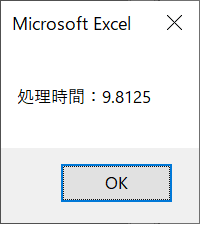
写真貼り直し処理ありの処理時間
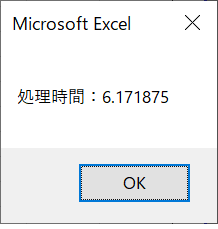
写真貼り直し処理なしの処理時間
写真データは容量が大きい

写真を50枚Excelに貼り付けを行った場合かなりの容量が必要となります。
写真の貼り直し処理の説明
写真一括貼り付けコードのJPEGに貼り直しの処理
        ActiveSheet.Shapes(i).Select
        Selection.Cut
        ActiveSheet.PasteSpecial Format:="図 (JPEG)", Link:=False, DisplayasIcon:=False
        Application.CutCopyMode = False
写真の貼り直し処理を行った時に画像の大きさが微妙に変更される
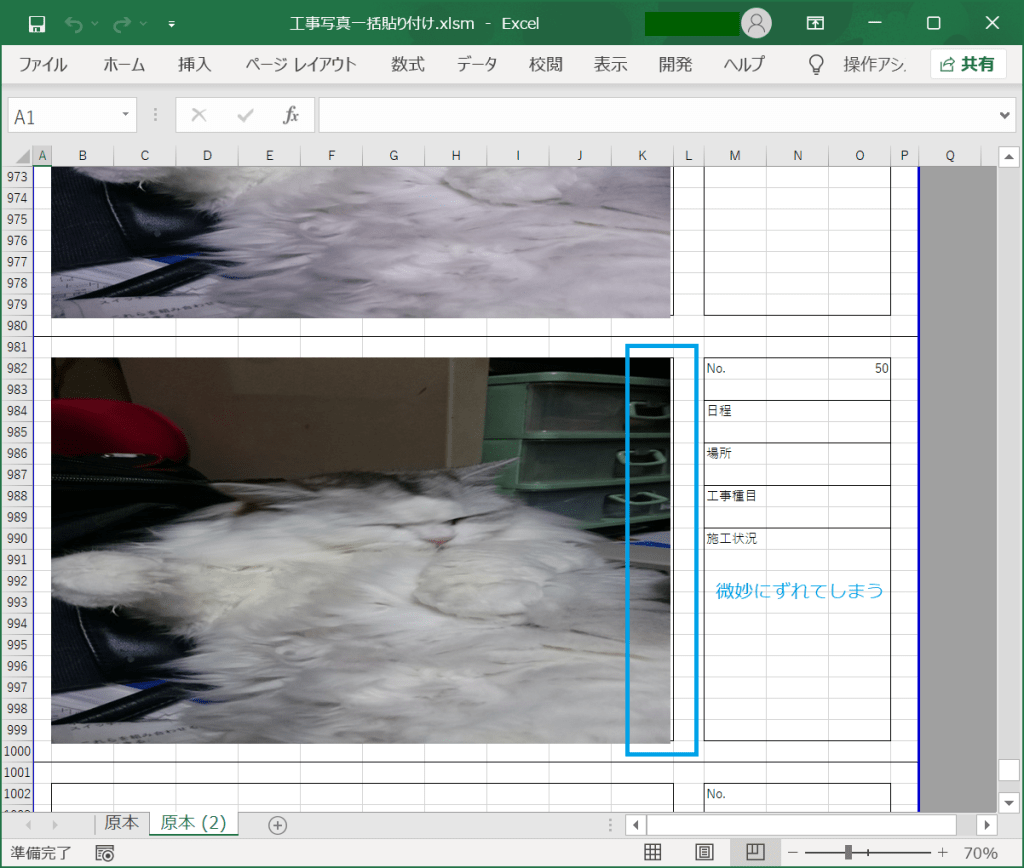
画像の大きさが変更されたため、画像全体の大きさを修正
    ActiveSheet.Shapes.SelectAll
    Selection.ShapeRange.LockAspectRatio = msoFalse
    Selection.ShapeRange.Height = Cells(2, 2).Height * 18
    Selection.ShapeRange.Width = Cells(2, 2).Width * 10

写真の一括貼り付けの内容での使用箇所
Sub 写真張り付け_Click()

    'ループ関数を設定
    Dim i As Integer, j As Integer, k As Integer

    Dim FileName As Variant
    Dim dblscal As Double
    Dim str As String

    Dim startTime As Double
    Dim endTime As Double
    Dim processTime As Double


    '写真の一覧を取得
    FileName = Application.GetOpenFilename( _
        filefilter:="画像ファイル,*.bmp;*.jpg;*.gif;*.JPG", _
        MultiSelect:=True)
    '画像ファイルを選択しなかった場合は処理を終わらせる
    If Not IsArray(FileName) Then Exit Sub

    '処理中画面描写をしない
    Application.ScreenUpdating = False

    '開始時間取得
    startTime = Timer


    '写真を貼る開始セルの列
    j = 2
    '写真を貼る開始セルの行
    k = 2

    '印刷範囲の初期設定
    str = Range(Cells(1, 1), Cells(60, 16)).Address
    '原本シートのコピーを末尾に追加
    Worksheets("原本").Copy After:=Worksheets(Worksheets.Count)
    'ボタンを削除
    ActiveSheet.DrawingObjects.Delete

    '取得した写真リストをセルに貼り付け
    For i = LBound(FileName) To UBound(FileName)
        If i <> 1 And i Mod 3 = 1 Then
            Worksheets("原本").Range(str).Copy
            Cells(k - 1, 1).PasteSpecial
            Application.CutCopyMode = False
            ActiveSheet.HPageBreaks.Add before:=Cells(((i \ 3) * 60) + 1, 1)
        End If

        Cells(k, j).Select

        '選択ファイル
        With ActiveSheet.Shapes.AddPicture( _
            FileName:=FileName(i), _
            linktofile:=False, _
            savewithdocument:=True, _
            Left:=ActiveCell.Left, _
            Top:=ActiveCell.Top, _
            Width:=ActiveCell.Width * 10, _
            Height:=ActiveCell.Height * 18)
            '結合セルの大きさに設定する場合は下記の内
            'Height:=ActiveCell.MergeArea.Height, _
            'Width:=ActiveCell.MergeArea.Width)
        End With

'←-----こちらが画像の貼り直し箇所

        ActiveSheet.Shapes(i).Select
        Selection.Cut
        ActiveSheet.PasteSpecial Format:="図 (JPEG)", Link:=False, DisplayasIcon:=False
        Application.CutCopyMode = False

'---------------------------------→


        'Noに数を記入
        Cells(k, j + 13) = i

        '次のセルの位置を設定する
        k = k + 20

    Next i

    'コピー範囲を解放

    i = i - 1
    k = k - 20

    Select Case i Mod 3
        Case 1
            str = Range(Cells(1, 1), Cells(k + 58, 16)).Address
        Case 2
            str = Range(Cells(1, 1), Cells(k + 38, 16)).Address
        Case Else
            str = Range(Cells(1, 1), Cells(k + 18, 16)).Address
    End Select

    ActiveSheet.PageSetup.PrintArea = str

    ’←写真の貼り直しを行った場合は大きさが微妙にずれるので大きさを調整する箇所

    ActiveSheet.Shapes.SelectAll
    Selection.ShapeRange.LockAspectRatio = msoFalse
    Selection.ShapeRange.Height = Cells(2, 2).Height * 18
    Selection.ShapeRange.Width = Cells(2, 2).Width * 10

    '----------------------------------------→

    '終了時間取得
    endTime = Timer

    '処理時間表示
    processTime = endTime - startTime
    MsgBox "処理時間:" & processTime

    Cells(1, 1).Select

    '画面描写を実行
    Application.ScreenUpdating = True

End Sub
今回は写真の容量と処理時間について記載致しました。
次回も処理の内容の解説を行います。

 EXCEL VBA 業務の自動化を目指す